
A desktop app to easily root your device
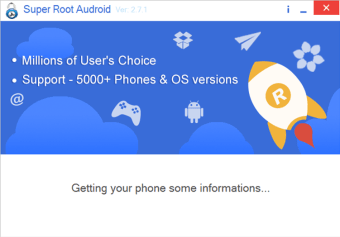
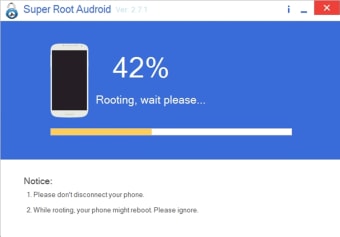
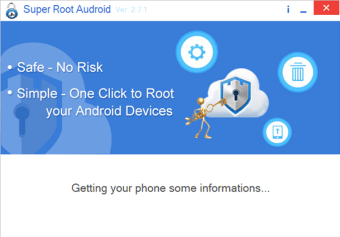
Super Root Android, developed by Super Root Studio, positions itself as a user-friendly desktop application for those looking to root their devices. With its intuitive interface and simple process, you only need a few clicks to connect your device to your PC. The software analyzes your device's hardware, model, and permissions before proceeding with the rooting process, ensuring a smooth experience.
Top Recommended Alternative

Designed for simplicity and speed
Upon installment, Super Root Android analyzes the device’s hardware, model, and permissions applied before attempting to root. This prevents unsupported operations that could potentially damage the device. The core appeal of the program is its simplicity, where a one-click rooting process is made possible, which makes it beginner-friendly. Once rooted, users can enjoy a variety of benefits, including enhanced customization options and the ability to remove unwanted bloatware. However, users should note that rooting always carries risks such as voiding warranty, bootloops, and security issues.
Reliable functionality with notable limitations
While the application offers a painless rooting experience for many devices, there are some limitations to consider. Once rooted, certain button functions might become ambiguous, potentially leaving users puzzled about their next steps. Super Root Android explicitly supports an un-root or restore-to-original-state option, which can serve as a safety net of sorts.
As a result of the root access, the software claims to give the user full control of their device, but this is still reliant on the device’s specifications, bootloader state, vendor lock-ins, and device version. Despite these concerns, the software remains a tool worth considering for those seeking full control over their devices.
Focused and effective for beginners
Overall, Super Root Android is a lightweight application for users eager to optimize their devices. Its straightforward process and support mechanisms are significant advantages, particularly for novices. While notable drawbacks exist, such as incompatibility with Windows 10 and some confusion with post-root functionalities, the advantages of this application clearly outweigh its limitations for compatible systems.















.png)